Slide Makeover Video
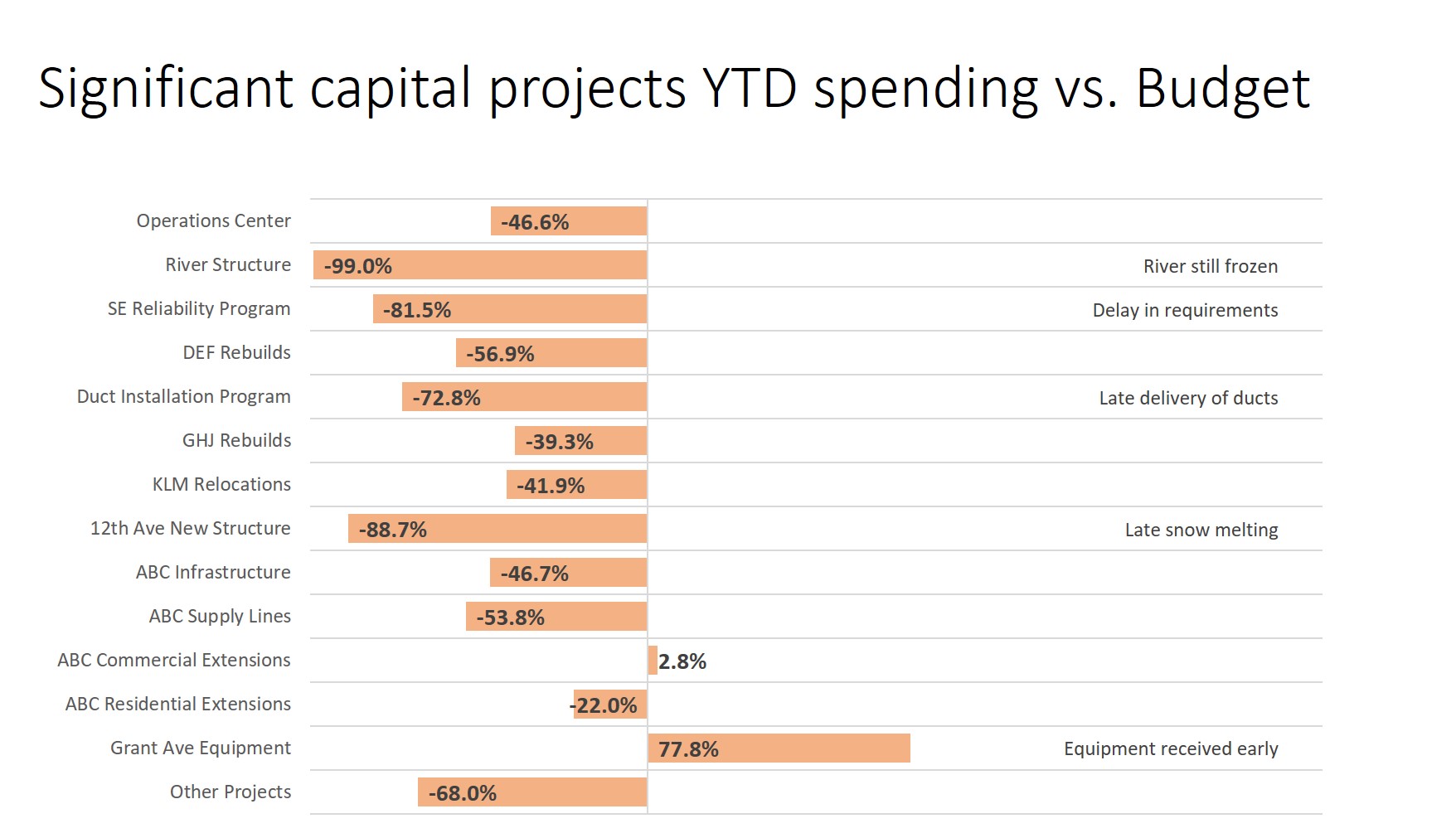
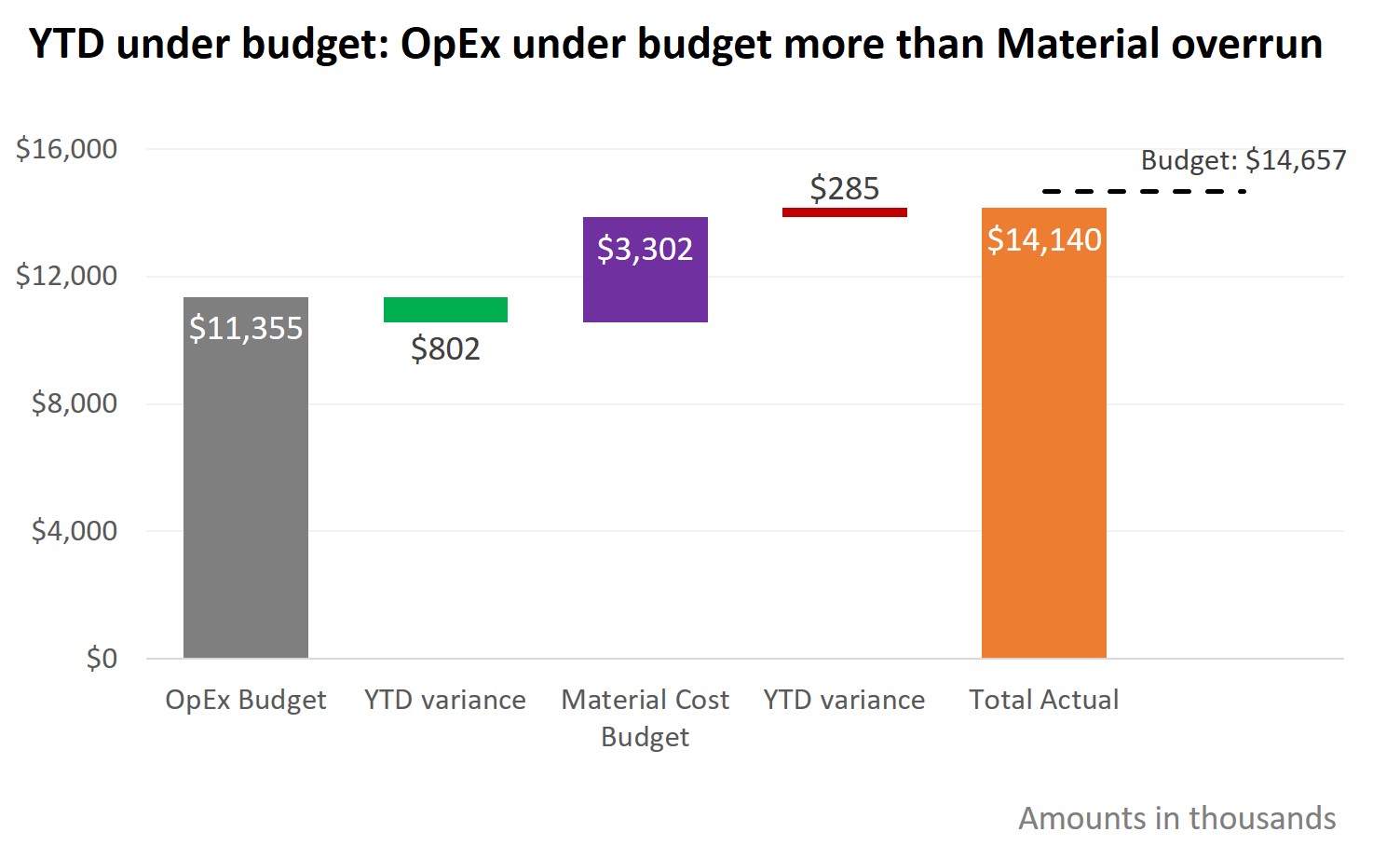
Podcasts These slide makeover videos show presenters who use PowerPoint or Keynote how to transform overloaded text slides into persuasive visuals that effectively sell ideas, products and services to decision-makers. The videos apply the five-step KWICK method from the book "The Visual Slide Revolution" to create slides that encourage the presenter to have a conversation instead of reading bullet paragraphs to the audience. A new video is posted every second Tuesday. Subscribe through iTunes by clicking here. Add to your podcatcher via this URL: http://www.thinkoutsidetheslide.com/podcasts/slidemakeovers.rss You can also watch and subscribe on YouTube at www.youtube.com/ThinkOutsideTheSlide August 26, 2008 Description: When presenting numbers that were calculated in Excel, don't just copy and paste part of your spreadsheet. This makeover shows a table of numbers transformed into a concise summary of the key issues that decision makers need to know. Click here to watch the video (opens in a new browser window in Quicktime format) August 12, 2008 Description: Just adding a visual to your slides is not enough - it must have context so the audience can understand it. This makeover shows a visual and how it can be recreated to have a much better impact on the audience. Click here to watch the video (opens in a new browser window in Quicktime format) July 29, 2008 Description: In many training situations, too much text is put on the slide. The reason is that the audience will need to refer to it later. This makeover transforms an overloaded slide into a visual slide and gives a technique for including detail in a PowerPoint file & handout without showing it on the screen. Click here to watch the video (opens in a new browser window in Quicktime format) July 15, 2008 Description: A commonly used slide, the "About Us" slide, is transformed into a series of slides that show the the audience why they should care about all these facts and makes the impact you want. Click here to watch the video (opens in a new browser window in Quicktime format) July 1, 2008 Description: A slide with a paragraph of a policy out of a manual is transformed into a series of slides that focuses the audience and makes the information easier to understand. Click here to watch the video (opens in a new browser window in Quicktime format) June 17, 2008 Description: A slide with few simple text phrases used in Toastmasters leadership training is transformed into a visual slide that connects with the audience. Click here to watch the video (opens in a new browser window in Quicktime format) June 3, 2008 Description: A slide with tons of data from a survey is transformed into a series of visuals that communicate clearly to decision-makers. Click here to watch the video (opens in a new browser window in Quicktime format) May 20, 2008 Description: A text loaded slide with multiple messages is transformed into multiple visuals that lead to a clear conclusion for decision-makers. Click here to watch the video (opens in a new browser window in Quicktime format) |