PowerPoint Slide Makeover Video Collections
Every two weeks I
create a new slide makeover video showing the "before" slide, talking
about the challenges with the slide, then showing the "after" slide and
sharing lessons that presenters can use when creating their own slides.
You can see all the videos here,
but they are in chronological order and it takes a long time to go
through the hours of video that are there. Not to mention that if
you want to focus on only the videos on transforming text slides, you
have to go through them all to find the ones you want.
So I've put together two collections that bring together the best
videos in the two areas that I get the most requests for: transforming
overloaded text slides and making data and graphics clear.
These collections come on DVDs that you can play in a regular
DVD player or in your DVD equipped computer. They have easy
to use menus and allow you to speed your learning or share them in team
meetings.
Here are the videos on the Transforming Text Slides Into Visuals
Collection DVD:
- Show organizational roles visually
- Explain methodology with visual examples
- Use an analogy to illustrate your point
- Restructuring a bullet list
- Visually break down long lists
- Open the design to allow visuals
- Show a list of dates as a calendar
- Create a visual to show a calculation
- Transform boring legal text into a
visual
- Show real-life situations instead of
descriptions
- Create comparison visuals that have
context
- Move reference text off the slides
- Transform the “About Us” slide into
visuals they care about
- Use visuals to make policy slides
effective
- Split multiple messages into visuals
Here are the videos on the Making Data and Visuals Clear
Collection DVD:
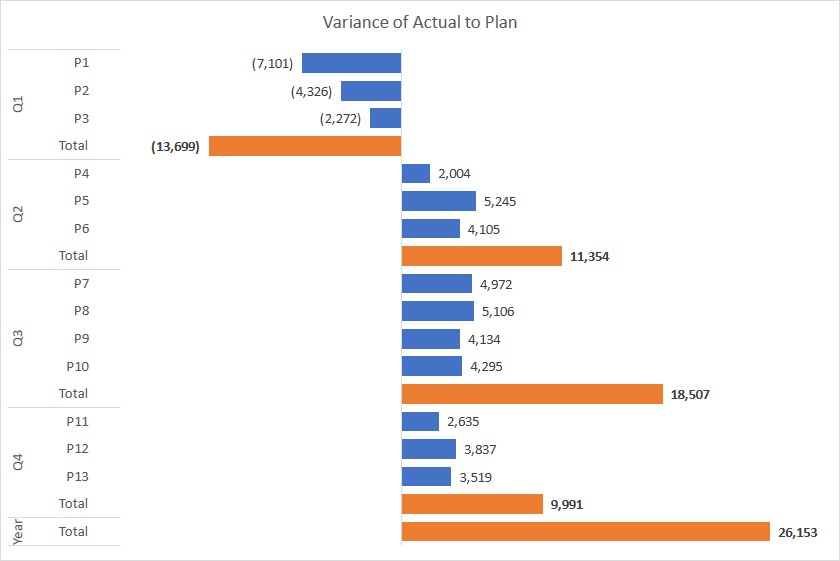
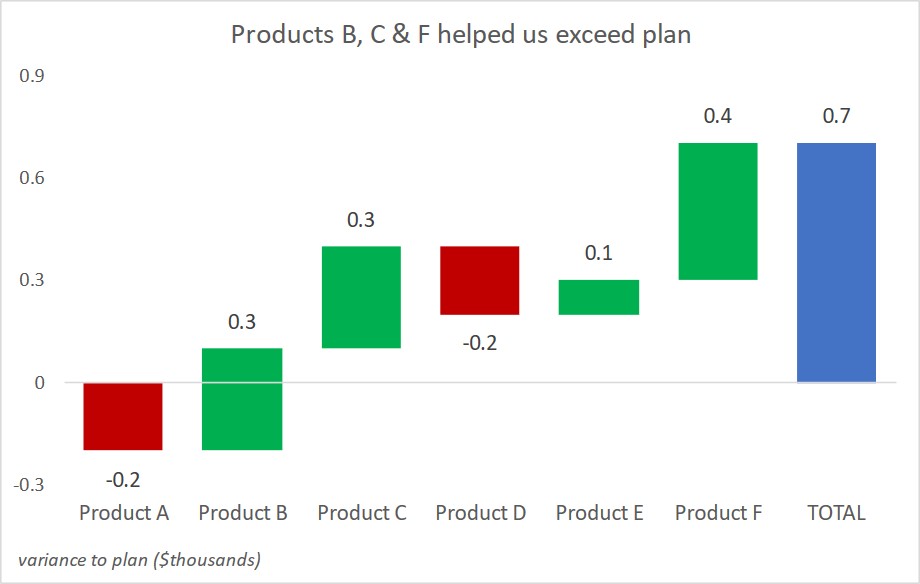
- Explaining
accumulation of changes
- Showing movement of numeric values
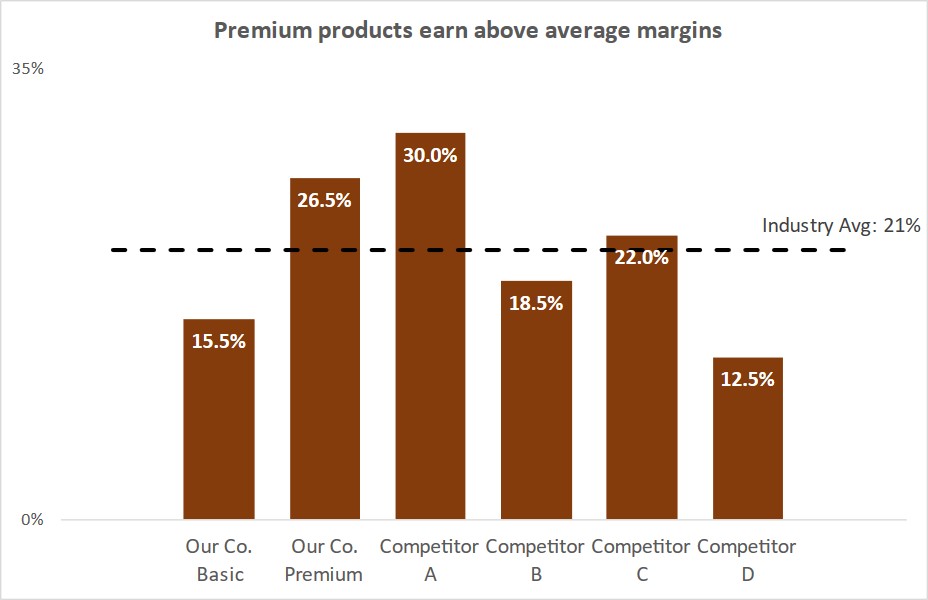
- Comparing data to an average
- Presenting people-based statistics
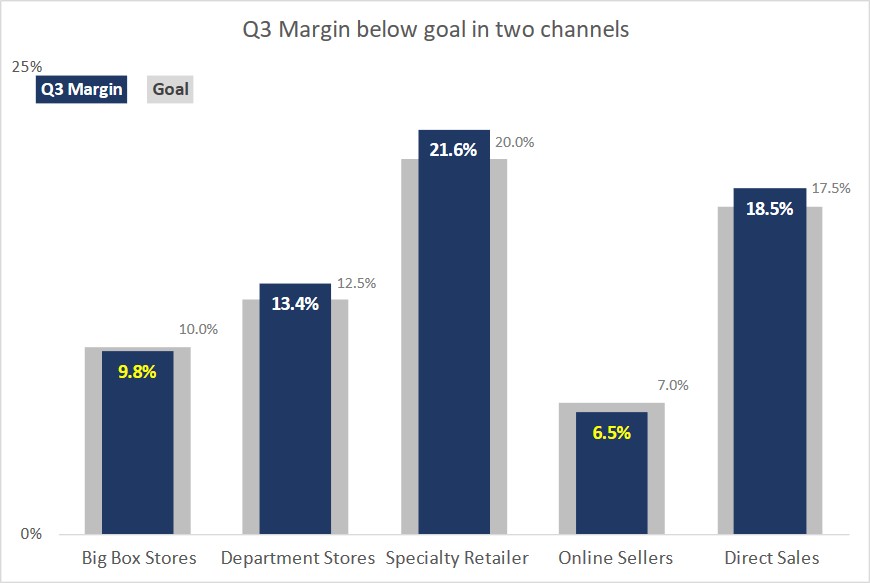
- Showing performance vs. acceptable
range
- Presenting survey results
- Showing a proportion with a diagram
- Break up a complex diagram
- Showing a cyclical process
- Reporting activity visually
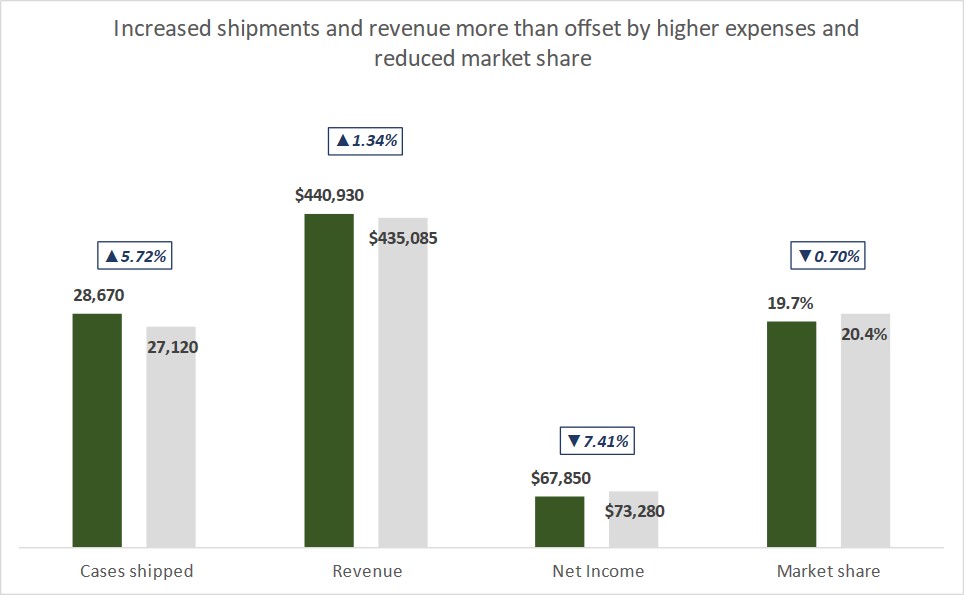
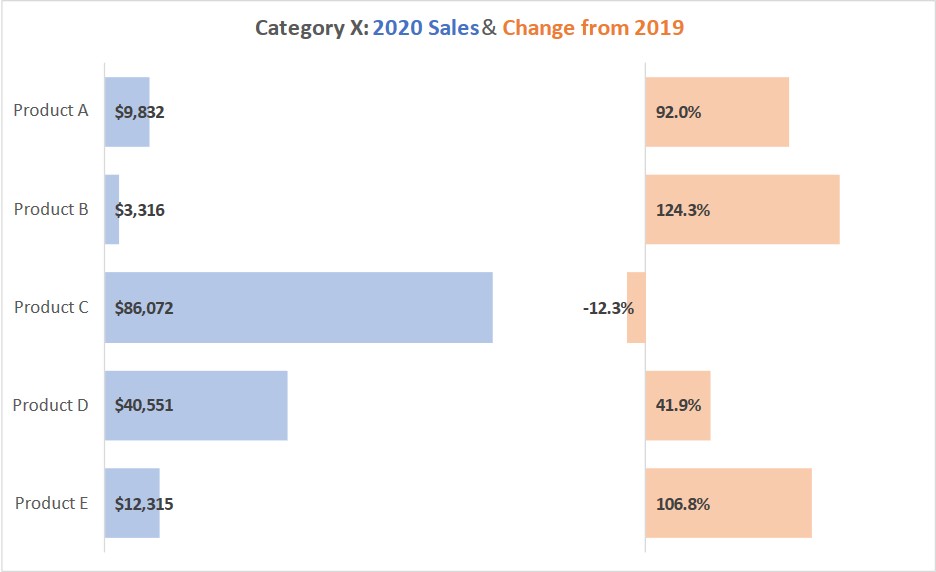
- Showing changes between time periods
- Show data visually
- Zoom in to make screen captures clear
- Focus table of numbers with visual
indicators
- Match the visual to the message
Select the collection that will help you the most, or buy both and have
a library of valuable ideas to refer to for future presentations. Each collection DVD is only $37 and I pay to ship it to you. If you want both, I'll give you a deal and you can buy both for only $57, a savings of 23%! Use the links below to order your PowerPoint Slide Makeover Video Collection DVDs today. To order just the Transforming Text Slides Into Visuals DVD for only $37 click here. To order just the Making Visuals and Data Clear DVD for only $37 click here. To save 23% and get both DVDs for only $57 click here. Remember
that I pay the shipping directly to your door. Order today and
start improving your presentations as soon as you watch the videos. |
|
|